Your video distribution challenges just got easier. An HDMI encoder IPTV system turns HDMI outputs from cameras and more into IP streams. These streams then travel over your network to reach devices like smart TVs and phones.
The move from old coaxial cables to IP streaming brings new chances for your business. Whether it’s a hotel, office, school, or broadcast center, your system offers top-quality video. It does this without the high costs and hassle of outdated systems.
Your HDMI encoder IPTV tech fixes a big issue. You need to send video from many HDMI sources to different displays on your network. This device makes that easy. Now, you can manage your video from one place, support many viewing options, and cut costs.
Investing in an ip video encoder system brings big benefits. You can easily add more displays and devices without new cables. Your content gets to viewers faster, meeting your business needs. You keep the quality of your broadcasts while enjoying the efficiency of modern networks.
Table of Contents
What Is an HDMI Encoder IPTV System and How Does It Work
An IPTV encoder changes your video and audio into formats for network use. It takes HDMI from your devices and turns it into streams ready for the internet. This way, you can share high-quality video over IP networks without losing quality or using too much bandwidth.
Knowing how these systems work helps you choose the right one for your needs. The tech behind streaming is key for businesses, schools, and entertainment spots needing to share video reliably.
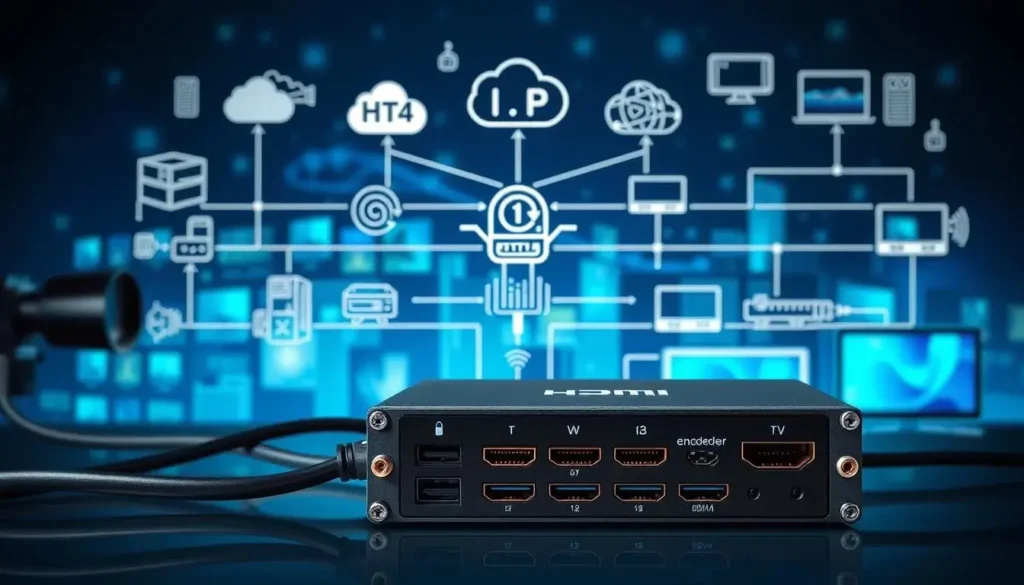
Understanding HDMI to IP Encoding Technology
Your hdmi to ip encoder gets video and audio from devices like cameras and computers. It then digitizes and compresses these signals using H.264 or H.265 codecs. This keeps the video quality high while making the files smaller.
The compressed data is then sent over the network using protocols like UDP, RTP, or HTTP. Your network carries these packets to devices that decode and play the content. This all happens in real-time, so you can stream live events without delay.
The video encoder streaming process offers many benefits:
- It uses less bandwidth for network transmission
- It keeps video quality good over long distances
- It works with existing network setups
- It supports many streams at once
Key Components of Video Encoder Streaming Systems
Your network video encoder has important parts working together. The HDMI input takes in video signals up to 4K from your devices. A special chipset handles encoding in real-time without any lag.
The Gigabit Ethernet port sends your streams over the network to where they need to go. Management software lets you adjust settings, bitrates, and stream configurations.
| Component | Function | Importance |
|---|---|---|
| HDMI Input Interface | Accepts video signals from source devices | Enables direct connection to cameras and players |
| Processing Chipset | Performs real-time video encoding | Ensures smooth, lag-free streaming |
| Gigabit Ethernet Port | Transmits streams across network | Delivers fast, reliable content distribution |
| Management Software | Controls encoding parameters and settings | Allows customization for different needs |
These parts work together as a system. Your network video encoder fits well with other network devices. Knowing how each part works helps you pick the right encoder for your needs and expectations.
Benefits of Using HDMI Encoder Hardware for Professional Broadcasting
Investing in hdmi encoder hardware changes how you share video content. Professional-grade iptv streaming encoder systems bring big benefits. They help your bottom line and make your operations more efficient.
Your team gets tools made for today’s broadcasting needs. This is true whether you run a hotel, corporate office, or school.
Using advanced compression technology makes your network more efficient. Modern hdmi encoder hardware supports H.265/HEVC compression. This lets you stream 4K video using less bandwidth than older systems.
This means you can stream to more devices without spending a lot on network upgrades.
Scalability is a big plus. Your iptv streaming encoder setup can grow with your needs. You can start small and add hundreds of endpoints without changing your system.
This flexibility makes your investment last longer.
Here are some key benefits:
- Complete control from one central management dashboard
- Access on TVs, computers, tablets, and smartphones
- Lower costs by replacing traditional RF distribution equipment
- Reliable, continuous operation with minimal downtime
- Faster installation with less physical cabling required
Your staff will spend less time on maintenance. Centralized management lets you monitor all streams and adjust settings from one place. No need to visit each encoder location.
Cost savings are important too. Switching to IP-based distribution saves money on coaxial cables, amplifiers, and modulators. Installation is quicker, which saves on labor costs. Professional hdmi encoder hardware pays for itself through efficiency gains.
Reliability is key for uninterrupted broadcasts. This is crucial for guest services, corporate communications, and live events. Downtime can hurt your reputation and revenue.
H.264 HDMI Encoder vs H.265: Choosing the Right Compression Standard
Choosing a compression standard for your video streaming system is a big decision. It affects both how well your system works and how much it costs. Knowing the differences between H.264 and H.265 helps you make a choice that fits your needs.
H.264, or AVC, has been the top choice for nearly 20 years. It works well on most devices. H.265, or HEVC, is newer and more efficient. It uses about half the bandwidth of H.264 to get the same quality.
Bandwidth Efficiency and Video Quality Comparison
Using less bandwidth means lower streaming costs. Here’s how H.264 and H.265 compare in real scenarios:
- 1080p streaming: 8 Mbps with H.264 versus 4 Mbps with H.265
- 4K content: 25 Mbps with H.264 versus 12-15 Mbps with H.265
- Multi-location distribution: Bandwidth savings multiply across each site
The Thor 4K HDMI Encoder RF Modulator Series uses HEVC for better efficiency. It supports Ultra HD up to 3840 × 2160. The JTECH-ENCH4 supports both H.264 and H.265, with 4K@60Hz input and 1080P@60Hz output.
H.265 is great for scenes with lots of motion. It keeps image details sharp at lower bitrates. This is especially important for sports and live events.
Compatibility with Network Video Encoder Infrastructure
Even though H.265 is better, you need to think about compatibility. Not all devices can play H.265. Older systems might need H.264.
Here’s how to check compatibility:
- Check if your displays can play H.265
- See if bandwidth is a problem
- Consider using both standards
- Check if your system can handle the extra work of H.265
| Feature | H.264 Standard | H.265 Standard |
|---|---|---|
| Bandwidth Efficiency | Industry baseline | 50% more efficient |
| Device Compatibility | Universal support | Limited older devices |
| Processing Power | Lower requirements | Higher requirements |
| Quality at Same Bitrate | Standard quality | Noticeably superior |
| Best Use Case | Maximum compatibility | Bandwidth-constrained scenarios |
Your hdmi encoder iptv system works best when you choose the right codec. Use H.264 for wide device support. Pick H.265 for better quality and less bandwidth use. Many systems use both, depending on the situation.
How to Set Up Your IPTV Streaming Encoder for Maximum Performance
Setting up your iptv streaming encoder right is key to quality and reliability. You’ll need to install it physically, set up your network, and adjust settings through the encoder’s interface. Your hdmi encoder device connects your video sources to the internet, ensuring smooth streaming from the start.
Begin by linking your video sources to your hdmi encoder. These can be cameras, media players, or computers. Use top-notch HDMI cables and connect to your network via Gigabit Ethernet for the best performance. Make sure your equipment is well-powered and protected from surges.
Access your encoder through its web interface using its IP address. Here, you’ll tweak encoding settings and keep an eye on performance in real time.
Essential Configuration Settings
Your encoder’s LCD display and web interface let you adjust key settings remotely:
- Resolution and Frame Rate: Pick 1080p for regular content or 4K for high-end quality, based on your network’s capacity. Choose 30fps for everyday content and 60fps for sports or fast-action videos.
- Bitrate Management: Opt for CBR for steady bandwidth or VBR for better quality. For 1080p H.264, use 4-8 Mbps, and for H.265, use 2-4 Mbps.
- Streaming Protocols: Go for UDP for low-latency networks, RTSP for on-demand, or RTMP for social media.
- Audio Configuration: Use MPEG1 Audio Layer 2 with CBR/VBR rates of 32-320 Kbps for great sound.
- Quality Adjustments: Tweak flip, rotate, crop, contrast, and brightness to perfect your video’s look.
Optimization Techniques
Use advanced features to boost your broadcast. Set up multicast addressing for efficient streaming to many viewers. Prioritize video traffic with Quality-of-Service (QoS) settings. Add logos and timestamps for branding. Adjust GOP length for better compression and seek performance.
Keep an eye on your hdmi encoder through the web interface. Watch bandwidth, stream health, and error rates to ensure quality. Your 100M network interface supports remote management, letting you tweak settings from anywhere.
Applications of HDMI Encoder Device Technology Across Industries
A video encoder streaming system is used in real businesses every day. It helps many sectors. This technology changes how companies share content across different places and devices.
It’s used in hospitality, healthcare, education, and corporate settings. Each field uses it in its own way. Your business can use it to work better, save money, and improve experiences for customers or employees.
Hotels and Hospitality IPTV Solutions
Hotels and resorts use hdmi encoder iptv to send content to rooms without cable boxes. They can show live TV, videos, and guides. This cuts costs and makes maintenance easier.
Cruise ships have limited bandwidth and satellite issues. A video encoder streaming solution helps deliver quality content. Restaurants and common areas get sports and news. Room service menus and property info display on TVs.
- Eliminate individual cable boxes in each room
- Display property information and promotional content
- Create new advertising revenue opportunities
- Customize content by room type or floor level
- Reduce ongoing operational expenses
Corporate and Educational Video Distribution
Companies can send CEO messages and training to different buildings with an hdmi encoder iptv system. Employees watch the same content at the same time. Emergency messages reach everyone fast and reliably.
Universities use video encoder streaming to reach more students. They can stream lectures to overflow rooms and distant students. Recordings are available on-demand for distance learning.
| Industry | Primary Uses | Key Benefits |
|---|---|---|
| Hotels & Resorts | Guest room entertainment, property information, promotional videos | Cost reduction, scalability, revenue opportunities |
| Universities | Lecture streaming, course recording, campus announcements | Expanded enrollment, flexible learning, emergency notifications |
| Hospitals | Patient entertainment, medical education, facility communications | Improved patient experience, staff training efficiency |
| Corporate Offices | Training, meetings, safety announcements, company events | Employee engagement, consistent messaging, time savings |
| Retail & Signage | Dynamic advertising, promotional content, announcements | Targeted messaging, real-time updates, customer engagement |
Healthcare uses these systems for patient entertainment and education. Retail stores show dynamic ads on displays. Sports venues show live feeds on screens. Each shows how your business can connect and share information efficiently.
Selecting the Best IP Video Encoder System for Your Needs
Choosing the right ip video encoder system is important. You must know what features you need before buying. This guide helps you understand the key differences between professional and basic systems.
First, think about your video resolution needs. Do you want 1080p Full HD or 4K Ultra HD? The choice affects the system’s power and cost. A 4K network video encoder is pricier but future-proof as video quality improves.
Then, look at the codec support in your ip video encoder system. Good encoders support H.264 for wide compatibility and H.265 for better bandwidth. Some top network video encoder models also offer MJPEG for ultra-low latency needs.
When comparing options, consider these key points:
- Channel capacity: Single-channel for simple needs, or multi-channel (2, 4, or 8 channels) for consolidating multiple sources
- Network protocols: UDP, RTP, RTSP, HTTP, and multicast support for your distribution infrastructure
- Latency performance: Glass-to-glass latency under 200ms for interactive applications, or 2 to 5 seconds for standard broadcasting
- Management interface: Web-based control panels for remote configuration and monitoring
- Input flexibility: HDMI, SDI, or composite video connections based on your source equipment
Professional gear is built to last. Look for industrial-grade hardware with redundant power, long MTBF ratings, and fanless designs for quiet operation.
Your choice depends on your setup size. Small setups need different solutions than large ones. Consider the manufacturer’s reputation, support, and warranty when deciding.
Thor Broadcast HDMI to IP Encoder Solutions and Pricing Options
Thor Broadcast offers top-notch streaming gear for broadcasters and integrators worldwide. Their hdmi to ip encoder solutions ensure reliable video distribution over IP networks. They offer flexible setups that grow with your needs.
Whether you have a small setup or manage big deployments, Thor Broadcast has you covered. They provide clear pricing and high-quality performance.
Multi-Channel HDMI Encoder Hardware Features
The Thor 4K HDMI Encoder RF Modulator Series is at the forefront of hdmi encoder technology. You can choose from three setups:
- Single-channel model for focused streaming applications
- 2-channel version for dual-source environments
- 4-channel system for maximum density and cost-efficiency
Each hdmi to ip encoder supports Ultra HD 4K up to 3840×2160 at 60Hz. They use H.265 HEVC and H.264 AVC encoding. You can adjust bitrate from 1 Mbps to 20+ Mbps.
They offer simultaneous RF and IP output for hybrid distribution. This lets you stream in different ways.
The modular drawer-type design protects your investment by letting you upgrade modules without replacing the whole unit. The 1RU rackmount fits standard broadcast racks. The front-panel LCD shows instant status.
They have advanced features like multiplexing and ASI input/output support. You can stream in SPTS and MPTS IP modes. Their RF performance is top-notch, with MER over 40 dB across 50-960 MHz.
Subscription Plans and Device Packages
Thor Broadcast has pricing for all sizes. Your subscription includes software updates and tech support. Costs are predictable each month.
| Device Configuration | 1 Month | 3 Months | 6 Months | 12 Months | Savings |
|---|---|---|---|---|---|
| 1 Device | €20 | €35 | €45 | €65 | Baseline |
| 2 Devices | €36 | €63 | €81 | €118 | ~10% |
| 3 Devices | €51 | €90 | €115 | €165 | ~15% |
| 4 Devices | €64 | €112 | €144 | €208 | ~20% |
Committing for a year saves a lot. A single device costs €65 yearly, or €5.42 monthly. The 4-device package is €208 annually, or €4.33 monthly. This means more savings as you grow.
“Choose the subscription length that fits your operational timeline and budget requirements.”
For a hotel with 100 rooms needing 4 encoder channels, annual costs are €208. That’s less than €2.08 per room yearly. You save on traditional equipment costs and get advanced streaming features.
Contact Thor Broadcast via WhatsApp at +447380310123 for more info or to order. Their experts will help you find the best hdmi encoder solution for your needs and budget.
Professional Support and Getting Started with Your Network Video Encoder
Buying a professional hdmi encoder device means you get a lot of support. Thor Broadcast knows that setting up video streaming needs help at every step. When you pick an iptv streaming encoder from Thor Broadcast, you join a team that wants you to succeed.
Your journey starts with a talk to understand what you need. Reach out to Thor Broadcast experts via WhatsApp at +447380310123 to talk about your project. They’ll look at your setup, bandwidth, content, and budget to suggest the best setup for you.
After picking your hdmi encoder device, Thor Broadcast helps you set it up:
- They give you detailed setup guides with easy steps and diagrams
- They offer professional installation for tricky setups
- They train your staff on using the equipment and fixing basic problems
- They test your system fully before you start using it
Your iptv streaming encoder comes with ongoing tech support. You can get help from experts through WhatsApp, email, and phone during work hours.
Thor Broadcast’s support also includes making your system better, adding channels, integrating middleware, and setting up redundancy. They keep your equipment up to date with the latest firmware. If you have questions, their team answers quickly, often in hours for urgent issues.
Don’t go it alone with your video encoding setup. Call Thor Broadcast today at +447380310123 via WhatsApp to talk to experts who know tech and your industry.
Conclusion
An HDMI encoder IPTV system changes how you share video. It turns old video sources into flexible IP streams. This lets you send high-quality content to any number of places.
Old ways of sharing video are outdated. Now, you can share content in new ways. This includes with employees, guests, and audiences.
Modern tech like H.265 makes video quality better while saving money. Your network works better with a professional HDMI encoder IPTV system. This means you can show more video channels and in higher quality.
Choosing the right encoder is key for your future. Professional-grade encoders from Thor Broadcast are reliable. They work well in hotels, offices, schools, and broadcast facilities.
With these encoders, you can manage content from one place. You also get new ways to make money and better experiences for everyone. Professional systems are built to last and come with great support.
It’s time to take the next step. Contact Thor Broadcast at +447380310123 via WhatsApp. They’ll help you find the right system for your needs. Invest in top-notch HDMI encoder IPTV technology for your organization’s success.
FAQ
What exactly is an HDMI encoder IPTV system and how does it differ from traditional video distribution?
An HDMI encoder IPTV system is a device that changes HDMI video signals into IP streams. This lets you send video to many places at once. It’s different from old systems that needed lots of cables and were expensive.With an HDMI to IP encoder, you can send the same video to many places without needing lots of cables. This makes it cheaper and easier to manage.
How does an HDMI to IP encoder actually convert video signals into network-ready streams?
The encoder takes HDMI signals and makes them into IP streams. It uses special algorithms to make the video smaller but still good quality. This lets it send the video over the internet.It does this in real-time. The encoder can handle signals up to 4K resolution. It then sends the video over Ethernet.
What are the key hardware components that make a professional HDMI encoder device function reliably?
A good HDMI encoder has a few important parts. It has HDMI inputs for video signals, a strong processor for encoding, and Ethernet for sending the video. It also has software for managing the encoder.Some encoders also have extra features like redundant power supplies. This makes them reliable for important uses.
What are the main benefits of investing in HDMI encoder hardware for my organization?
HDMI encoders save money and make things easier. They use less bandwidth, so you can send more video without spending a lot. They also let you send video to many places at once.They make it easy to manage your video system from one place. This saves time and money. They also work with many devices, so more people can watch your video.
Should I choose H.264 or H.265 compression for my HDMI encoder investment?
It depends on what you need. H.264 is safe because most devices can play it. But H.265 is better for saving bandwidth and looks better in fast scenes.Think about what devices you have and how much bandwidth you have. You might want to use both H.264 and H.265.
What are the compatibility concerns when upgrading to H.265 encoding in my network video encoder infrastructure?
Make sure your devices can play H.265 before switching. New TVs and devices usually can, but older ones might not. You might need to use both H.264 and H.265.Check what devices you have and how many can play H.265. This will help you decide what to use.
What is the step-by-step process for setting up my HDMI encoder device for optimal performance?
Setting up your HDMI encoder is easy. First, connect your devices to the encoder. Then, connect it to your network and make sure it has enough power.Next, use the web interface to set it up. Choose the right settings for your video and network. You can also set up monitoring tools to keep an eye on things.
How are HDMI encoder IPTV systems used in hotels and hospitality environments?
Hotels use HDMI encoders to give guests TV and information. They can send TV channels, movies, and local info to every room. This saves money and makes things easier for guests.It also lets hotels make more money by showing ads and selling extra content. Cruise ships and restaurants also use them for entertainment and news.
What specific benefits do corporate and educational institutions gain from HDMI encoder device systems?
Companies use HDMI encoders to send messages and training to everyone. This helps with communication and training. Schools use them to send lectures and info to students everywhere.Universities can reach more students with top professors’ lectures. Hospitals use them for patient info and education. Government offices use them for training and info.
What key specifications should I evaluate when selecting an IP video encoder system?
Look at a few important things when choosing an encoder. Check if it can handle 4K video. Make sure it supports H.265 for better bandwidth use.See if it can handle many channels and if it works with your network. Check the latency for live use. Look at management features and physical design.
What makes Thor Broadcast’s HDMI encoder solutions different from competitors?
Thor Broadcast’s encoders are top-notch. They support 4K video and H.265 encoding. They also have flexible designs and work with many systems.They offer a subscription model for easy access. This lets you start small and grow without big upfront costs. Contact Thor Broadcast for more info.
How does Thor Broadcast’s subscription pricing work, and what does it include?
Thor Broadcast’s pricing is clear and flexible. You can start with a 1-month subscription for 20€. Or choose a 12-month plan for 65€.For more devices, you get discounts. This makes it cheaper for bigger setups. Each subscription includes updates and support, so you know what you’re getting.
What subscription package should I choose for my organization’s size and requirements?
Pick a subscription based on your needs. The 1-month plan is good for testing. The 12-month plan is better for long-term use.For more devices, you save money. This makes it easier to grow without breaking the bank. Each subscription offers the same support quality, so you’re just paying for device usage.